Q: What is USB flash drive used for?
A: Common uses of USB flash drives are for storage, supplementary back-ups, and transferring of computer files. Compared with floppy disks or CDs, they are smaller, faster, have significantly more capacity, and are more durable due to a lack of moving parts.
Q: What is the difference between a USB drive and a flash drive?
A: USB drive refers to how the external drive is attached to the computer through a USB port.Flash drive refers to a stick that has flash memory chips in it for storage. A Flash drive is normally attached to the computer through a USB port.
Q: Why is it called a USB flash drive?
A: They are called "flash drive" because they use flash memory to store files. Flash memory is a type of computer chip. The first flash drives had 8 megabytes of storage. Each year, larger flash drives will become available.
Q: Why would I need a flash drive?
A: Flash drives are very popular for storing documents, photos, music, videos, and other data on a computer because they are small and lightweight but can hold up to 64GB of data - more than enough for most people's needs.
Q: Are USB flash drives worth it?
A: While external hard drives generally offer better protection against data loss due to their advanced technology, USB flash drives have very good reliability when they are stored properly.
Q: How long will data last on flash drive?
A: The lifespan of data on a USB flash drive depends on many factors, Under ideal conditions, data should remain preserved on a high-quality USB stick for at least 10 years or even longer.
Q: How do I use a flash drive for the first time?
A: Insert the flash drive into a USB port on your computer. You should find a USB port on the front, back, or side of your computer (the location may vary depending on whether you have a desktop or a laptop). Depending on how your computer is set up, a dialog box may appear. If it does, select Open folder to view files.
Q: When should I replace my flash drive?
A: The general rule of thumb is between 10,000 and 100,000 write/erase cycles per drive. That's quite a large variance, which is why buying a quality product matters. The wear and tear will also depend on the complexity of the data stored within.
Q: What do I need to know before buying a flash drive?
A: The ports are often in pairs with limited space. Some USB flash drives are more bulky than others. Choose a capacity that best fits your needs.
Q: Why is a USB beneficial?
A: One of the main benefits of using USB cables is their ability to carry more information per second (12 mb/second) than parallel cables (115 kb/second). This means faster data transfer.
Q: Is a flash drive good for backup?
A: USB drives are perfect for everyday use for backup and storage. Privacy and security. Some USB drives come with advanced protection. Made with password-restricted access, you can protect the data on them through encryption apps.
Q: What are the components of a flash drive?
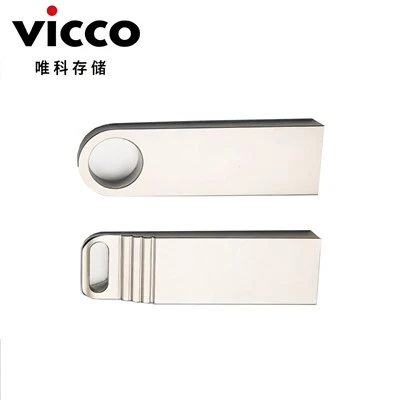
A: A flash drive consists of a small printed circuit board carrying the circuit elements and a USB connector, insulated electrically and protected inside a plastic, metal, or rubberized case, which can be carried in a pocket or on a key chain, for example.
Q: What are the features of USB flash drive?
A: A USB flash drive can store important files and data backups, carry favorite settings or applications, run diagnostics to troubleshoot computer problems or launch an OS from a bootable USB.
Q: What kind of hardware is a USB flash drive?
A: A USB drive, also referred to as a flash drive or memory stick, is a small, portable device that plugs into the USB port on your computer. USB drives are commonly used for storage, data backup, and transferring files between devices.
Q: How does a USB flash drive work?
A: The chip inside contains a grid of transistors acting like tiny switches. All data is reduced to binary 1s and 0s and one of these values is stored at each point in the memory. To store a '1', the transistor in the relevant location is switched on, allowing charge to flow through it.
Q: How data is stored in USB flash drive?
A: USB drives use Flash memory, which means the the ones and zeros of your data are stored on transistors. When you save data, a binary zero is set by charging the float gate of the transistor, and a binary one is set by removing the charge.
Q: Is A USB drive External or internal?
A: A USB flash drive is a small portable device, with no moving parts, used for storing and transferring data from one computer to another. It connects to the computer via a USB port and stores digital data in its internal memory chips.
Q: Is a USB flash drive an input device?
A: Pen drive is not a input device nor output device it is storage device. storage device, only data can be saved in pen drive. An input device is any hardware device that sends data to a computer, allowing you to interact with and control it. Pen drive is not a input device nor output device it is storage device.
Q: What are the advantages of a USB drive?
A: Usability - USBs are lightweight and pocket-sized. They are easily connected to computers running any operating system and do not require an internet connection. Moreover, a full operating system is capable of booting from a live USB, making it particularly useful to IT and security professionals.
Q: What is the difference between a flash drive and a thumb drive?
A: The main difference between thumb drives and other external flash drives are that other flash drives require a USB cable or a card reader to connect to devices, while a thumb drive's plug is embedded in its housing.